Basti, Uttar Pradesh  ·  Tirunelveli, Tamil Nadu hungryminds.basti@gmail.com
Our Products

Timetable Automation

Clash-free timetables generated from staff load, subject hours and room availability — in minutes.

Hungry Minds timetable generation dashboard
What it is

Every school has one person who loses a fortnight of their life to the timetable. This gives it back.

Timetable Automation takes what your school already knows — the subjects, the teachers, the periods per week, who teaches what, which rooms and labs exist, who is unavailable on which day — and generates a complete, clash-free timetable from it.

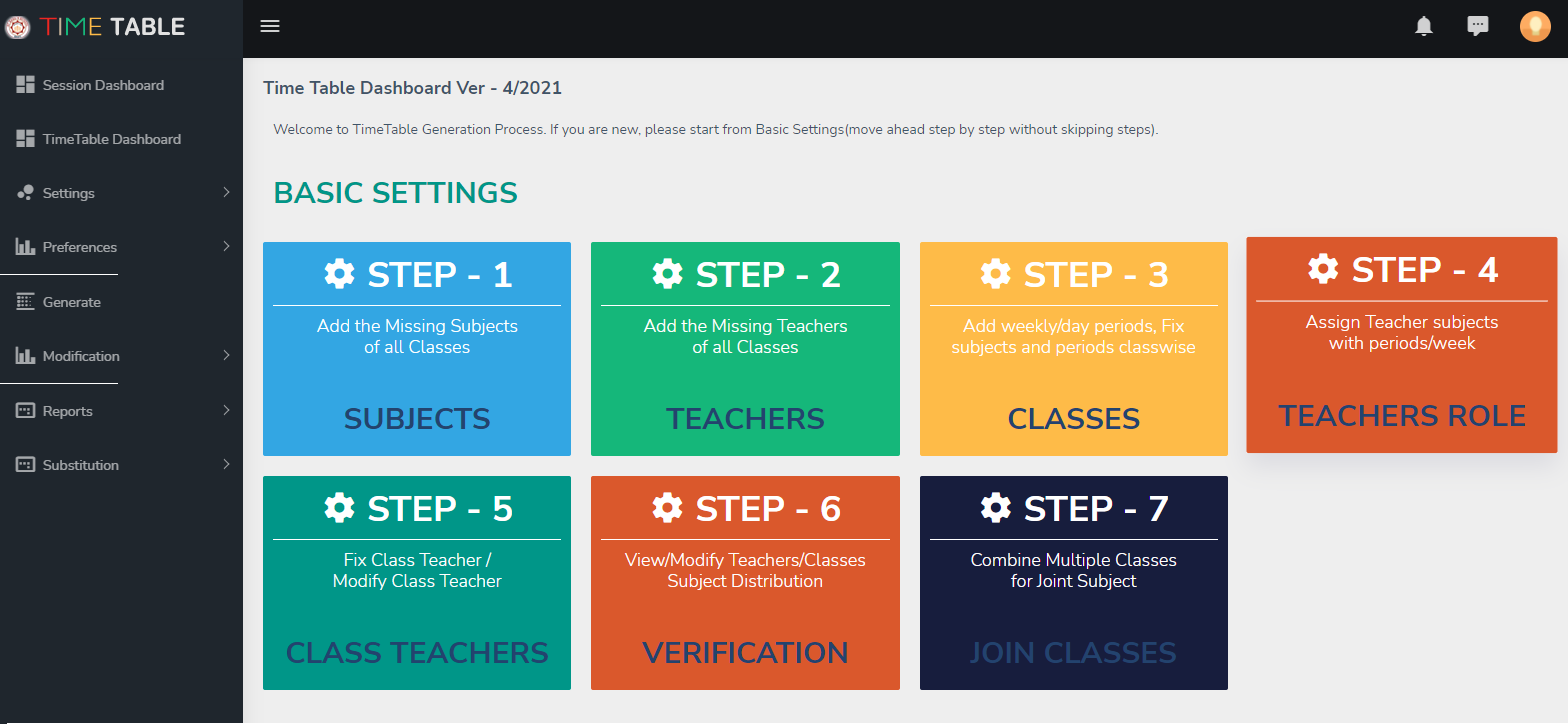
The software follows a guided seven-step setup, shown on screen, so the person preparing the timetable is never left guessing what to do next: subjects, teachers, classes, teacher roles, class teachers, verification, and joined classes. Only when the distribution verifies does it generate.

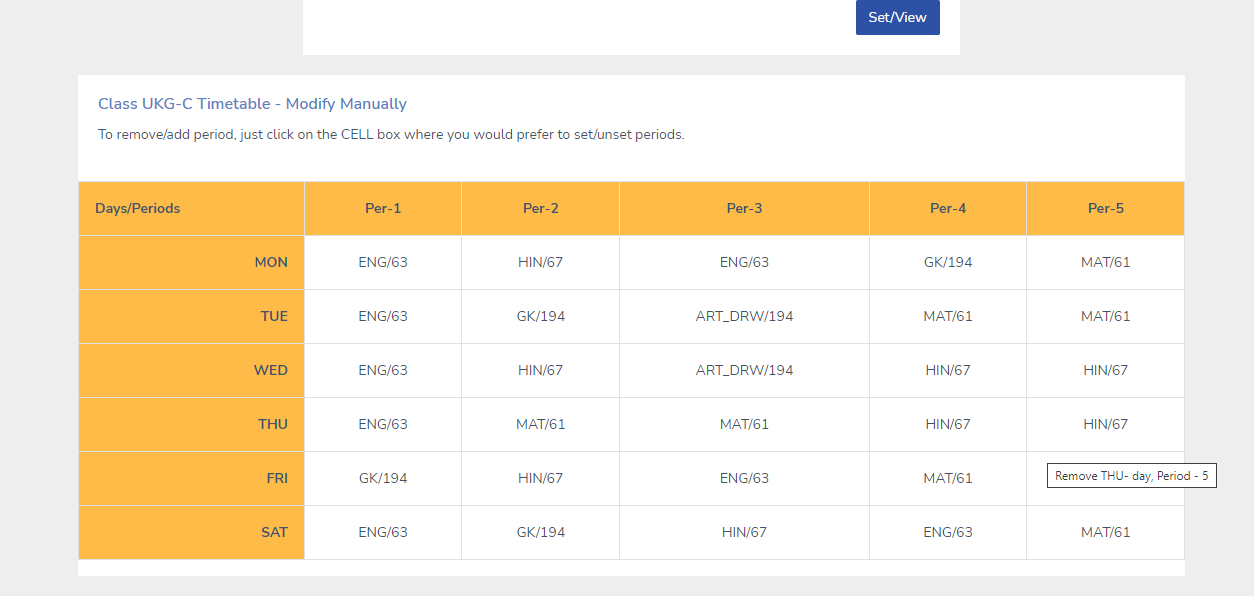
It produces the class-wise timetable, the teacher-wise timetable and the consolidated master, and it handles the daily reality afterwards — substitutions for absent staff, arranged in seconds without creating a fresh clash somewhere else.
What you get

Built around the work.

Guided seven-step setup

Subjects, teachers, classes, teacher roles, class teachers, verification and joined classes — in order, on screen.

Clash-free by construction

No teacher in two rooms, no class without a teacher, no lab double-booked.

Real constraints

Maximum periods per day, free periods, part-time staff, lab blocks, games periods and reserved slots.

Substitution management

Mark a teacher absent and the day is rearranged for you, with the cover list ready to print.

Every view you need

Class-wise, teacher-wise and master timetables, ready to print or publish to the app.

Hand adjustments allowed

Move a period by hand where you must; the software checks the change and warns you if it breaks something.

The working process

From first call to running smoothly.

Every installation follows the same path, so you always know what happens next and who is doing it.

01
Collect the inputs

Subjects, periods per week, teacher list and their subjects, rooms and labs, and any fixed slots. Usually one sitting with the timetable in-charge.

02
Basic settings

The seven guided steps are completed on screen — most schools finish this in an afternoon.

03
Verification

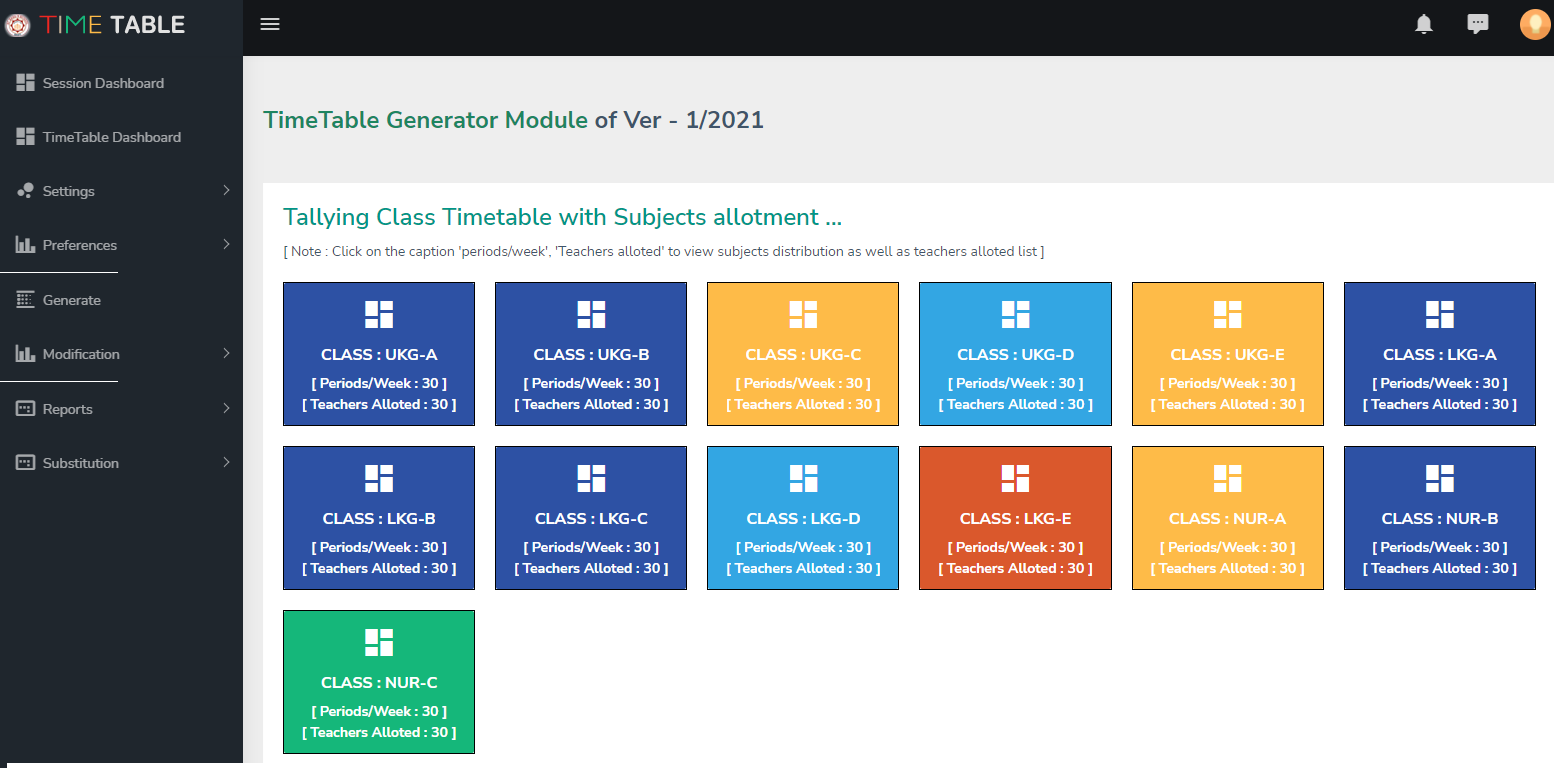
The software checks the distribution: every class covered, no teacher overloaded, hours matching the syllabus. Gaps are reported before generation.

04
Generate

The timetable is produced in minutes. If you do not like it, generate again with adjusted constraints — there is no cost to trying.

05
Adjust and publish

Hand-tune anything you wish, then print class-wise and teacher-wise copies and publish to the parent and staff app.

06
Run the year

Use substitution management daily, and regenerate cleanly whenever staff or subjects change mid-year.

In the field

The software, in use.

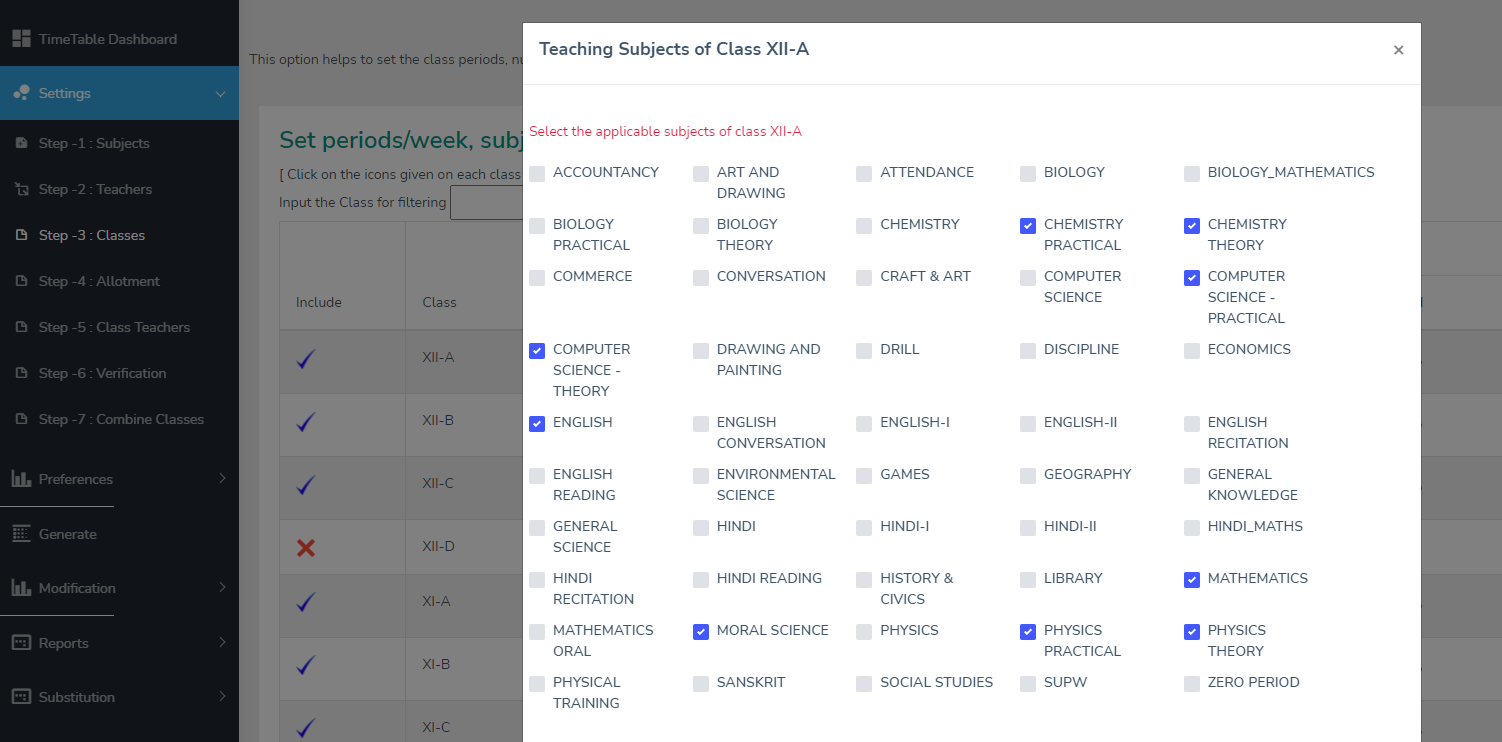
Subject and period distribution, verified before a single timetable is generated.
The generated timetable, class-wise and teacher-wise.
Daily substitution — cover an absent teacher in seconds, without creating a new clash.
The cost

Plainly stated.

No hidden charges, and nothing you have to ask three times to find out.

Quoted to your institution

Timetable Automation is priced on what you actually need — the size of your institution, the number of users and the work involved in setting it up. Tell us your situation and we will put a written quotation in your hands, usually within two working days.

Prices are indicative and depend on the size of your institution, the number of users and the modules you choose. Call us for a firm, written quotation — there is no charge for the conversation or the demonstration.

Questions

Asked by most institutions.

If yours is not here, ask it. We answer the awkward ones too.

Ask Us

The setup takes an afternoon. Generation itself takes minutes, and you can generate as many versions as you like before you accept one.

Yes. The software allows manual changes and immediately tells you if a change creates a clash.

It works standalone or as part of the ERP. Inside the ERP it also feeds the parent app and the substitution register.
Talk to us

Shall we show you Timetable Automation working?

We will come to your institution, or show you the whole thing over a call — whichever suits you. There is no charge for the demonstration and no obligation afterwards.

More from Hungry Minds

Our other products.

Talk to us

Let's take your institution further.

Tell us what slows your team down and we will show you exactly which part of it can be automated — no obligation, no sales script.

💬

Hungry Minds · AI Assistant

×

Hello 👋! How can we help you today?